
Word and Outlook add-ins


Bring Jónsbók into Microsoft Office. Research and draft inside Word, and handle legal questions in Outlook, without switching context.
Microsoft Word
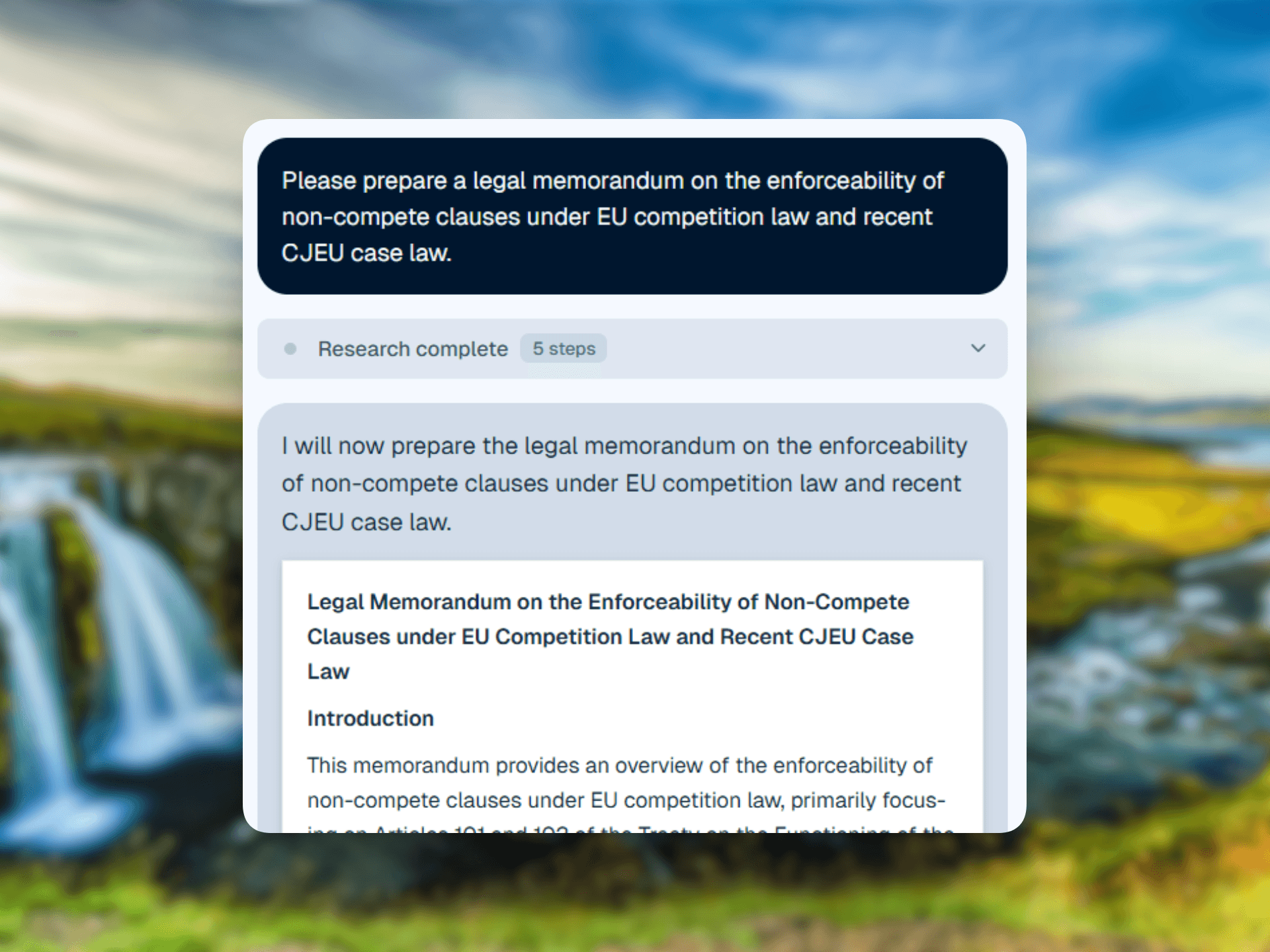
Research and draft without leaving Word
Ask legal questions in the Jónsbók sidebar while you write. Get cited answers, check references, and insert verified text straight into your document, all without leaving Word.
Microsoft Outlook
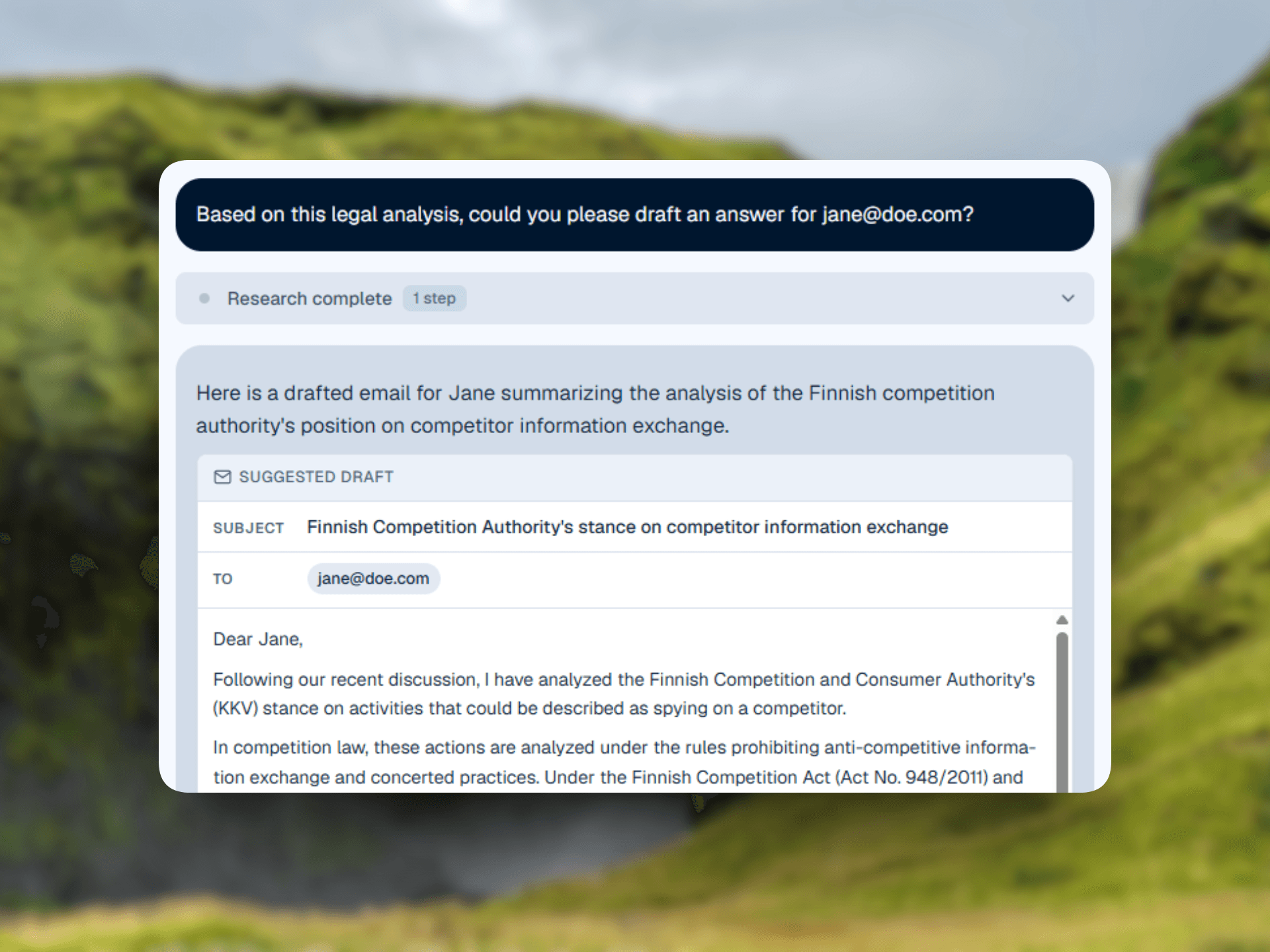
Answer legal questions inside your inbox
Open the Jónsbók add-in next to any email to research the law, draft replies grounded in your jurisdiction, and check citations before you hit send.
One assistant across Office

Cited answers where you work
Ask legal questions from the Word or Outlook sidebar and get answers grounded in the laws and cases of your jurisdiction, with sources you can verify.
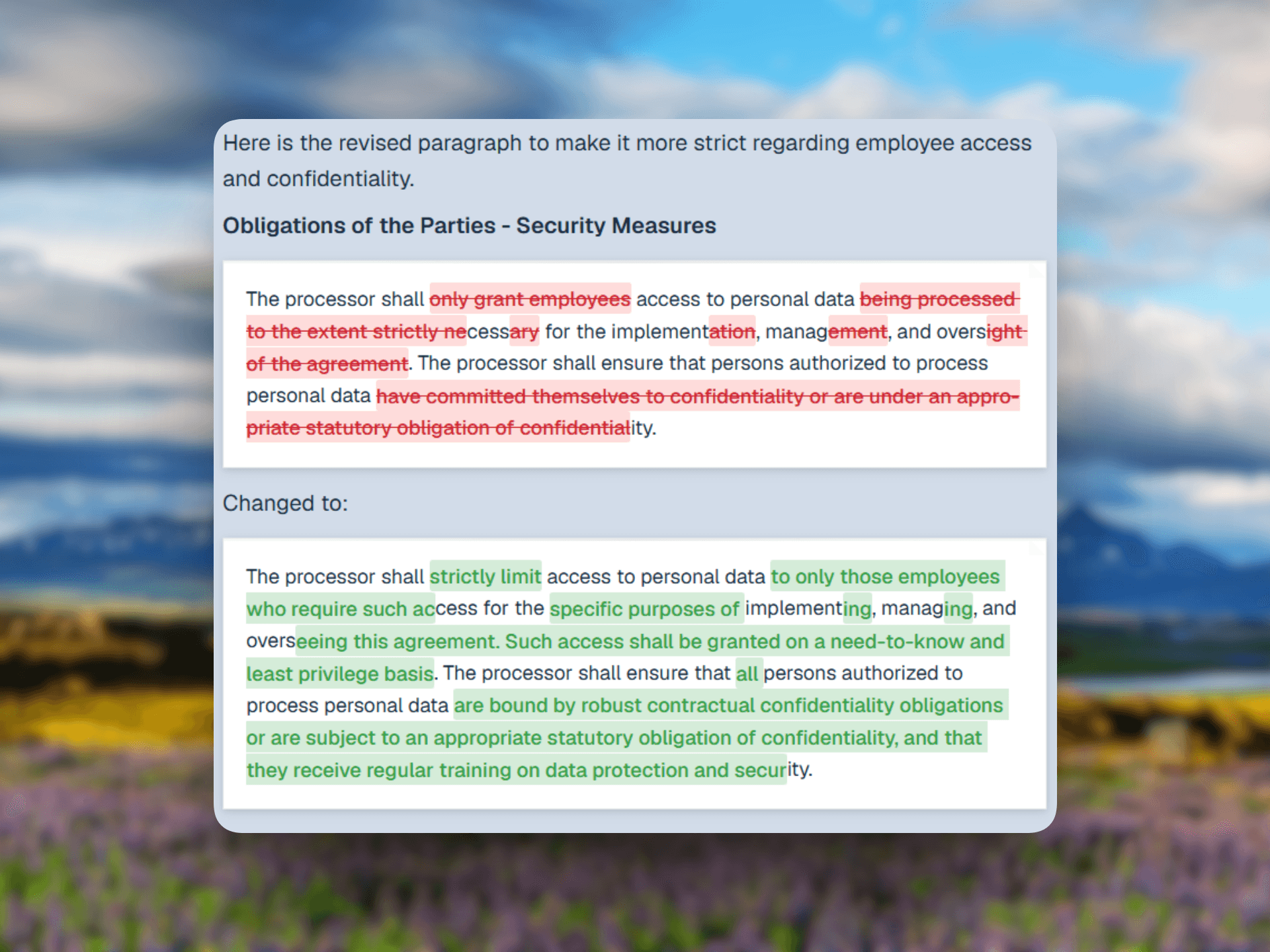
Draft in place
Insert cited text directly into a document or an email reply. No copy-paste between tabs, no lost formatting.
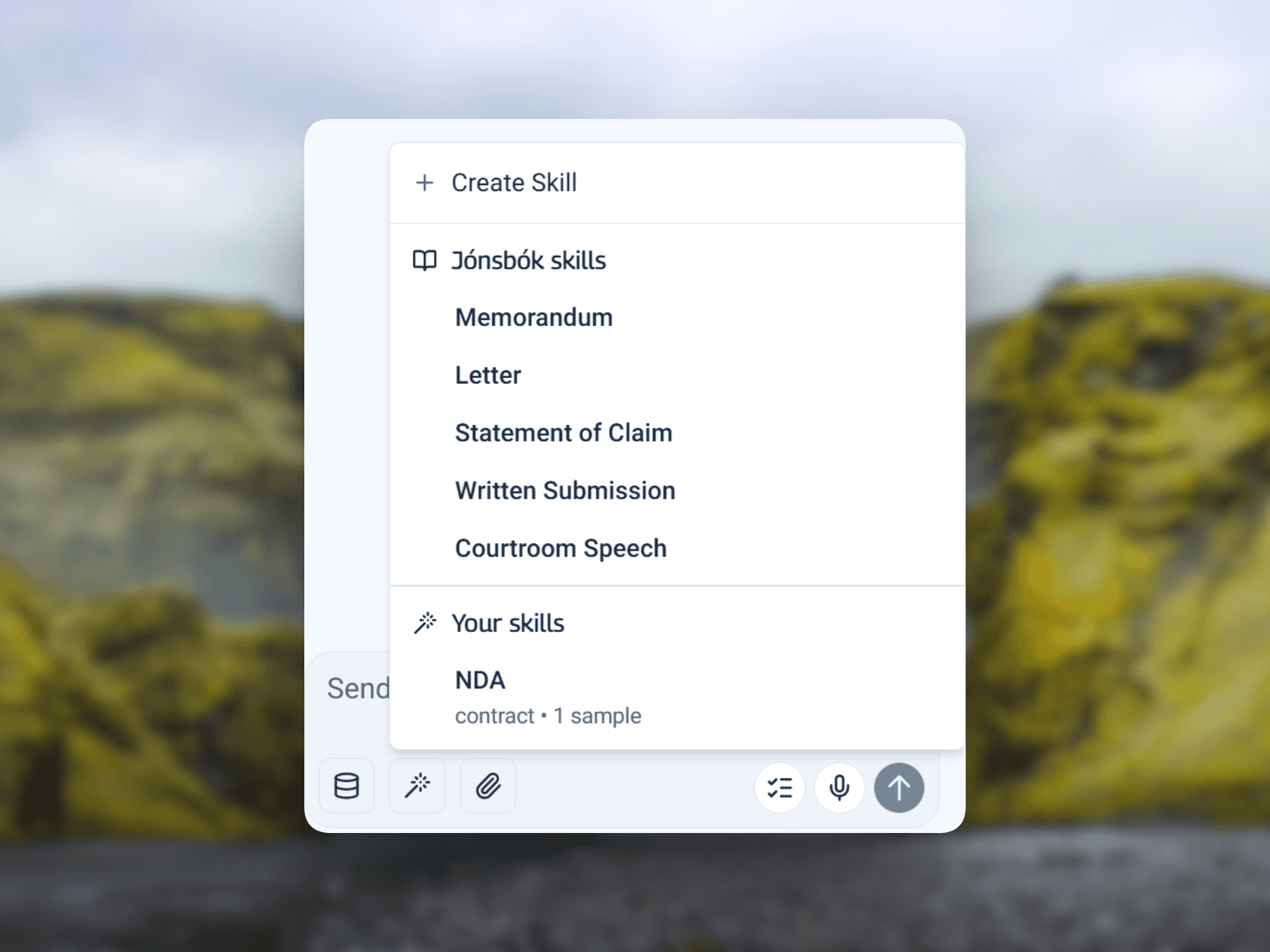
Your knowledge, connected
Reach your knowledge bases and reusable skills from inside Office, so every draft follows your firm's standards.
Bring Jónsbók's legal research and drafting into Microsoft Word and Outlook, with no context switching.